
Appearance
Find
In-pane search across the visible buffer and scrollback.
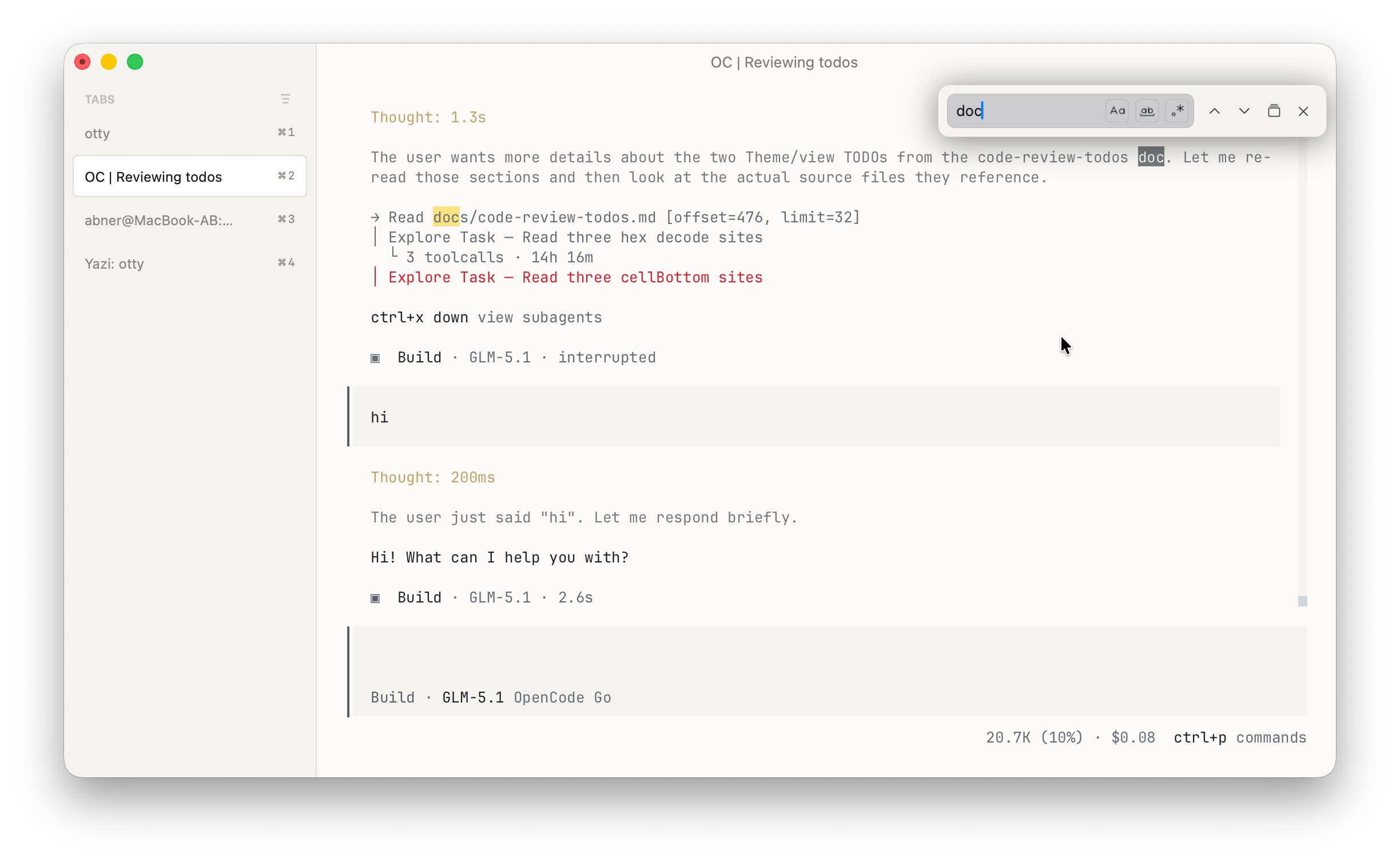
Opening Find
| Action | Binding |
|---|---|
| Open find | ⌘F |
| Next match | ↩ or ⌘G |
| Previous match | ⇧↩ or ⇧⌘G |
| Close | Esc |
Typing into the find bar shows live results — every match is highlighted in the buffer and an inline counter shows N of M.
Scope
Find searches the focused pane only:
- Terminal pane: visible viewport + full scrollback.
- File pane: full file.
- Folder pane: file names only (not contents).
For searching across all tabs, see Global Search below.
Case sensitivity and regex
The find bar has two toggles:
Aa— case sensitive..*— interpret pattern as a regular expression (Rust regex syntax).
Default: case-insensitive literal.
Find in all tabs
⇧⌘F opens Global Search — runs across every open tab's scrollback and displays results in a dedicated tab. Click a result to jump to that tab and position.
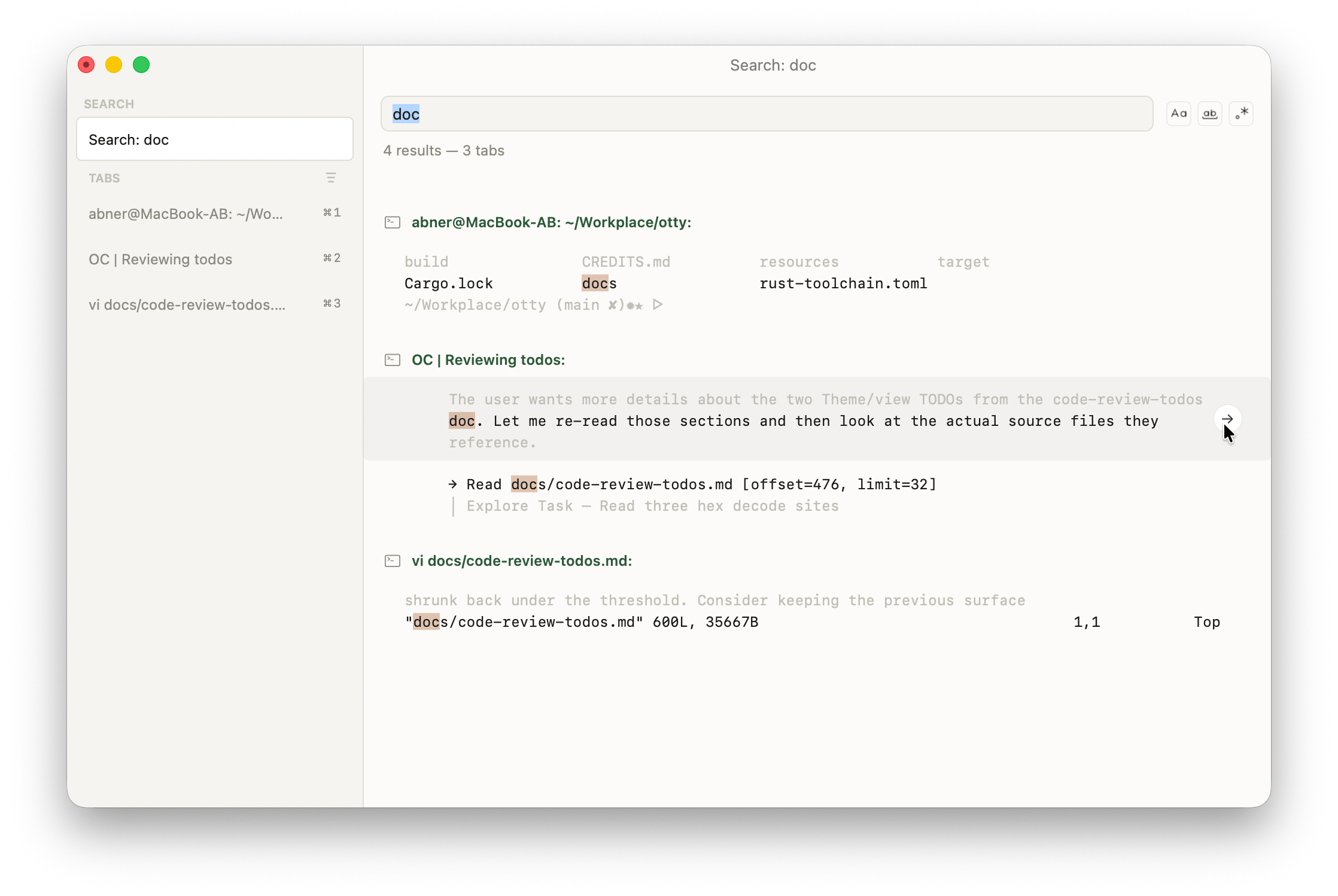
Find in files
The same dialog has a Search Files button next to Search in Current Tab. It takes the query you already typed and runs it against file contents under the focused pane's folder instead of terminal scrollback — see Search in Files.
See also
- Vi Mode — keyboard-driven selection that can yank matches.
- Search in Files — grep file contents under a folder.
- Open Quickly — fuzzy across tabs / commands (different from text-content search).